
Seedance 2.0 image to video
See one real source frame become a moving clip. The exact prompt, accepted settings, output dimensions and settled Saga cost are disclosed below, followed by a live five-second quote.
Inspect the input and the moving output.
The first frame and clip belong to the same Saga comparison run. Only video metadata loads before you press play, which keeps the page light on Chrome and mobile.
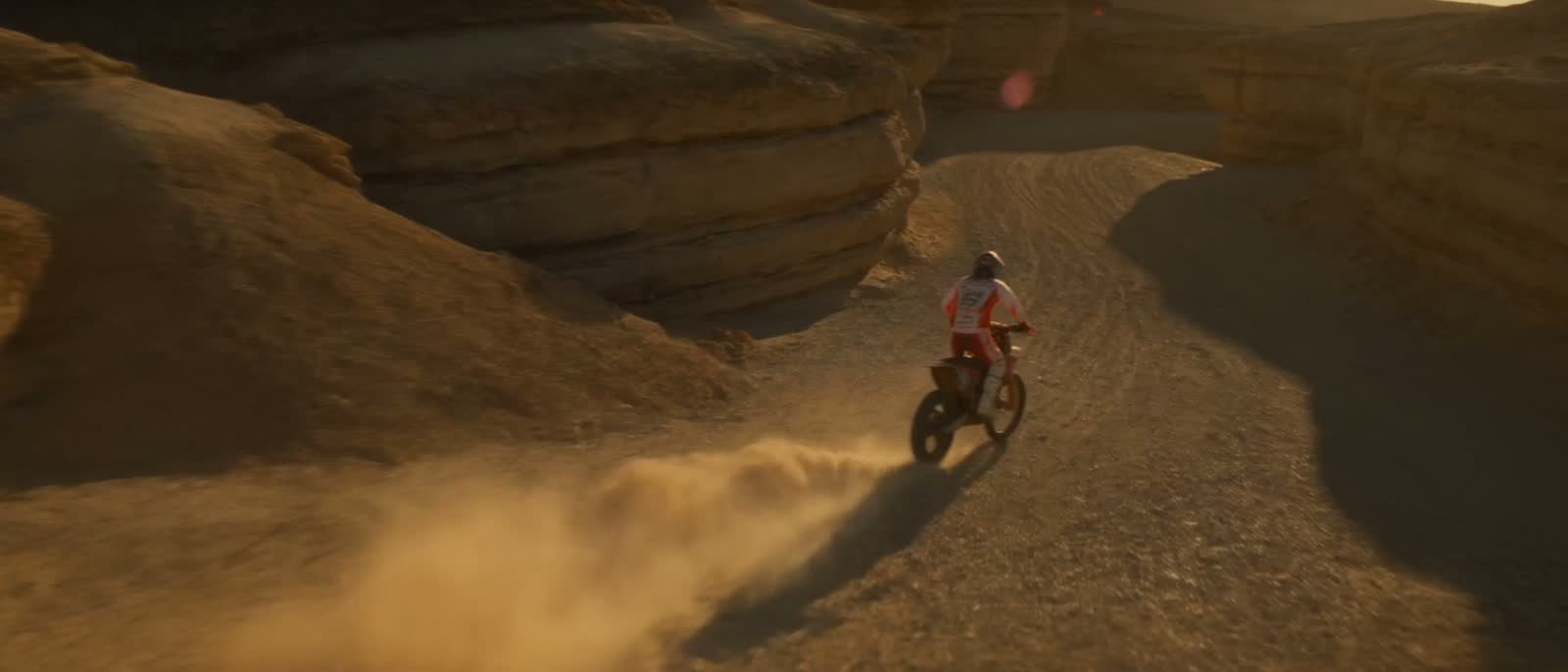
Source image
One motion-ready reference frame
Seedance 2.0 result
4.04 s · output 720 × 414
What this proves: this specific input produced this specific file through Saga. It is one documented render, not a promise that every subject, prompt or provider run will behave the same way.
Prompt the change, not the pixels.
The source image already defines the rider, bike, canyon and palette. The prompt spends its words on movement, camera behavior and the details that must remain readable.
A motocross rider accelerates through a sculpted desert canyon at golden hour. Sand sprays from the rear tire while a low chase camera glides forward. Cinematic natural motion, crisp rider and bike, warm rock detail, no text, no logos.
Make the still ready to move.
Choose a readable frame.
Separate the subject from the background, preserve hands and faces, and leave space in the direction the subject or camera will move.
Direct one achievable take.
Name one subject action and one camera move. Add the visible response: dust lifts, fabric trails, reflections shift or the background parallax changes.
Prove motion at draft settings.
Use a short duration and read the complete dollar quote first. A draft should answer whether the movement works, not try to be the final master.
Judge the clip, not its poster.
Play the whole file. Check identity, edges, body and object physics, camera continuity and how many seconds are genuinely usable in an edit.
Five seconds, 720p, audio off.
Seedance 2.0 image to video
This quote loads from the same public pricing endpoint used by the Saga composer. It can change when provider cost or settings change.
Give the image a job.
Name the action
Accelerates, turns, reaches, settles or looks up. A visible verb gives the model a timeline.
Use one move
Push in, track, orbit, rise or hold. Multiple competing moves often produce a less intentional take.
Protect what matters
Name the identity, product shape, garment, logo-free surface or composition that must remain consistent.
Prompt, price and compare.
Image to video, answered plainly.
Can Seedance 2.0 turn an image into a video?
Yes. Seedance 2.0 accepts image references. Saga exposes start and end image slots in its video composer and shows the complete dollar quote before generation.
How much does Seedance 2.0 image to video cost?
The documented four-second run above settled at $0.269 using the accepted 480p setting. Current price depends on duration, resolution and audio, so use the live five-second quote above for planning.
What belongs in the prompt?
Describe the subject action, one camera movement, the environmental response and what must remain stable. Do not spend the prompt repeating every visual detail already visible in the source image.
Are uploaded reference images private?
Yes. Uploaded references and generations are private account content. Saga does not use them for training, competitions or public showcases unless you separately and explicitly submit content for a public program.